Risk & Exit Tools
Smart entries and exits
What Wait for the break, Keep chasing until filled, Move stop after a trim, the per-level stop moves and Wait for the price to come back do, what turns each one on, and why one did not run.
Five settings change how a strategy gets in and out of a trade. Each one runs only when a set of conditions is true, so this page lists those conditions for each, shows a worked example, and ends with the reasons it did not run.
Four of them are switches on a strategy’s Protections tab. The fifth sits in Sell in stages on the Risk & exits tab. For the other guardrails on that tab, see Protections.
Which one do I need?
| Your situation | Use |
|---|---|
| The alert says “buy on the break” (“NUR @ $4.15 BREAK”), and you do not want to buy before the price gets there. | Wait for the break |
| Your limit buys often sit unfilled while the price runs away by a few cents. | Keep chasing until filled |
| After you take some profit, you do not want the rest of the trade to turn into a loss. | Move stop after a trim |
| You sell in stages and want the stop to step up after each stage (entry after the first, +20% after the second). | Per take-profit level follow-ups |
| Your Slippage cap refuses buys because the price spiked when the alert came in, and it often comes back a minute later. | Wait for the price to come back |
On a strategy with more than one broker, the first broker you selected decides whether Wait for the break, Keep chasing until filled, Move stop after a trim and Wait for the price to come back are sent with the trade. If the first broker supports a setting, every broker on the strategy gets it. If it does not, no broker gets it. See the support table.
Wait for the break
What it does
Some traders post an entry that should only buy once the price breaks a level: “NUR @ $4.15 BREAK” means “buy if it gets to 4.15, not now”. With Wait for the break on, the buy waits at the broker as a stop-limit order and fills only once the price reaches the break, never more than your cap above it.
What triggers it
- Wait for the break is on, in Protections, Order safety. The number is the most you pay above the break, in percent. Empty means 2%. The highest value is 50%.
- The broker is Interactive Brokers (stocks, options and futures), Robinhood, Tradier or Schwab (stocks and options), or STG / Cobra (stocks). Spreads never wait.
- The alert is a buy that opens a trade, and it names a break level. Your signal parser reads the level from the alert text, so this works on Discord and Telegram alerts. These count as a break: “NUR @ $4.15 BREAK”, “BDRX @ BREAK $1.00”, “Entry range: Break of 0.86”, “ELPW Entry range: 5.03 break”, “Buying break of 2.60”. The level is always the price written with the word “break”, never the stop loss.
- The break is on the option or stock you buy. An option alert can also break on the stock price (“TSLA 425C ON THE BREAK OF $407.30”) on Interactive Brokers, Robinhood, Tradier and Schwab: see Options that break on the stock price below.
- Robinhood: the regular session is open (9:30 to 16:00 New York time) and the order is not an extended-hours order.
- Tradier stocks: the order is not sent in the pre-market or after-hours session.
A strategy with Wait for the break on always asks your parser, even when TradeLabs Fastlane is on, because a Fastlane answer never carries a break level.
What happens, step by step
Example: the alert is “NUR @ $4.15 BREAK S/L under $3.80”, NUR trades at $4.00, and the cap is empty (2%).
- The alert arrives at $4.00. Nothing is bought.
- The app sends a stop-limit buy: it triggers at $4.15 and pays at most $4.24 ($4.15 plus 2%, rounded up to the cent).
- The price climbs and trades at $4.15. The order triggers and buys at $4.24 or less.
- Your stop loss, take profit and trailing stop are set from the price you actually paid, as usual.
- If the price gaps from $4.10 straight to $4.40, the order triggers but does not fill above $4.24. It stays open, unfilled.
- Your Cancellation timer (if on) starts counting when the break is reached, not when the alert arrived. A break that never comes does not use up the timer.
If the price is already at or past the break when the alert arrives:
- Robinhood places a plain limit buy at your cap ($4.24 here) at once, because Robinhood cancels a stop order whose price has already passed. Its cancellation timer starts at once.
- Interactive Brokers and Tradier send the same stop-limit order. The broker triggers it at once, and it fills only at or under your cap.
Options that break on the stock price
Many option alerts name the level on the stock, not the option: “TSLA | 425 C 3.55 NEXT WEEK ON THE BREAK OF $407.30” means buy the TSLA 425 call once TSLA itself trades through $407.30. On Interactive Brokers, Robinhood, Tradier and Schwab, Wait for the break handles these too. On Robinhood it waits only during the regular session (9:30 to 16:00 New York time), and it cannot wait on an index option such as SPX, NDX, RUT or VIX, because Robinhood does not give the index level.
Example: TSLA trades at $403.10 when the alert arrives, the cap is empty (2%), and your Cancellation timer is 10 minutes.
- The alert arrives. Nothing is sent to IBKR. The Activity page shows “Waiting for TSLA to break $407.30 (now $403.10)”.
- The app watches TSLA’s live price every second. Only real-time prices count, so a delayed quote never sets it off.
- TSLA trades at $407.30. The app places your normal option buy right then, priced at that moment with your usual entry method, limit offsets, slippage cap and stop loss / take profit.
- A call waits for the stock to reach the break or higher; a put waits for the stock to reach it or lower.
- If TSLA gaps far past the break (more than your cap above $407.30, here $415.45), the app does not chase it. It keeps waiting until TSLA is back within the cap.
- If TSLA never breaks $407.30 within your Cancellation timer, counted from the alert, nothing is bought and the Activity page says why. With the timer off, it waits until the regular session closes (16:00 New York time).
An exit alert for the same contract cancels the wait, and a newer entry alert replaces it. If the app restarts while it waits, the wait is dropped, so it never buys on an old alert.
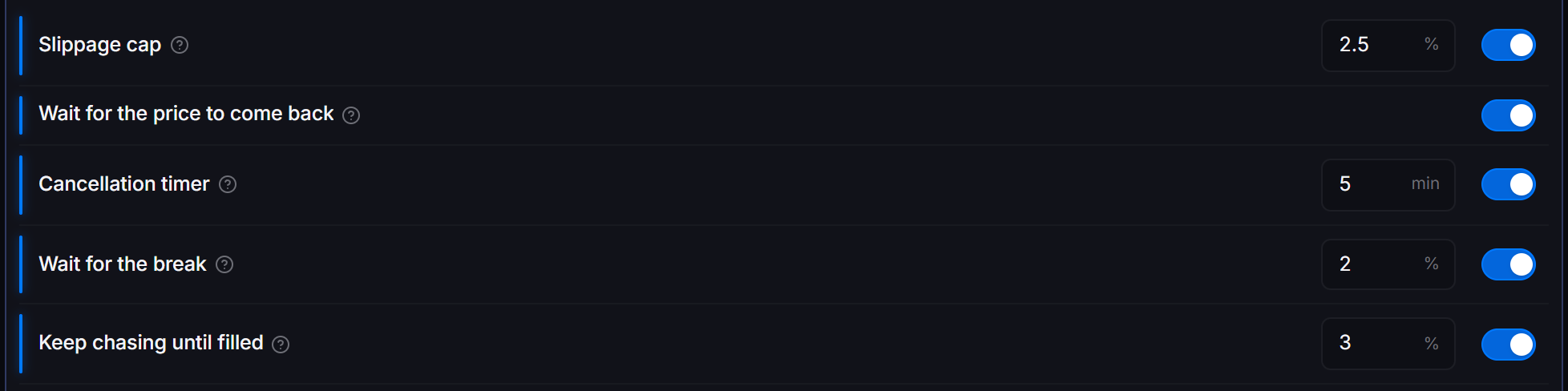
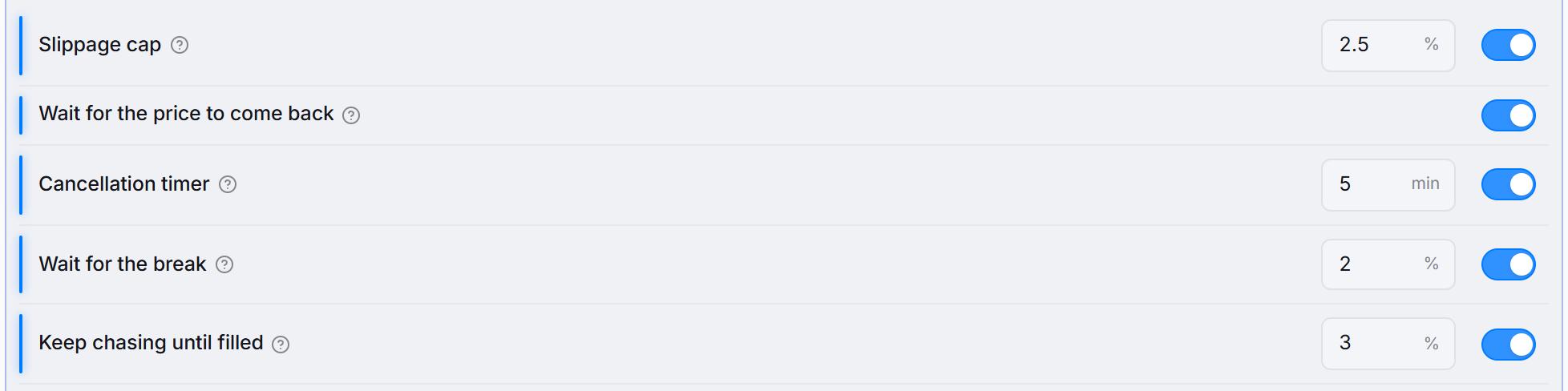 Protections, Order safety, on an Interactive Brokers stocks strategy. The number next to Wait for the break is the cap above the break.
Why didn’t it trigger?
- The broker or instrument does not support it. The row only shows on the brokers and instruments listed above. On a multi-broker strategy, the first broker decides.
- The alert had no break level. A level mentioned as a comment on an entry that buys now is not a break. “$SPY $737 CALLS, $.34 entry, looking for the break above $735” buys now.
- The alert came from TradingView. A TradingView alert carries no break level, so it buys as usual.
- Robinhood, an index option (SPX, NDX, RUT or VIX) that breaks on the index level. Robinhood does not give the index level, so the alert ends without buying and the Activity page says why.
- Robinhood, break on the stock price, outside the regular session. Robinhood options trade 9:30 to 16:00 New York time, so nothing waits outside it.
- Break on the stock price, the stock gapped past your cap. It keeps waiting until the stock is back within the cap, or the window ends.
- Break on the stock price, after 16:00 New York time with the Cancellation timer off. The wait ends at the close, so nothing is bought.
- Robinhood, outside the regular session. Robinhood does not accept a stop order in extended hours, so the alert buys as usual.
- Robinhood, under 1 share. A Robinhood stop order needs whole shares. A buy under 1 share buys as usual. A fractional amount above 1 is rounded down to whole shares (2.7 buys 2).
- Tradier stocks in the pre-market or after-hours session. Tradier takes only limit orders then, so it sends the normal extended-hours limit.
- It was a sell, a trim or a short. Only buys that open a trade wait for the break.
- It did trigger, but the price was past your cap. The order is open and unfilled. Raise the cap, or let the Cancellation timer cancel it.
Works with
- Keep chasing until filled never moves a break order. Its limit is already your break cap, which is the most the chase may pay.
- Wait for the price to come back does not hold an alert that Wait for the break handles.
- Slippage cap: on Tradier, the slippage check is skipped for a break order, because the cap above the break already limits the price.
- Stop loss, take profit and trailing stop attach as usual and are set from the real fill price.
Keep chasing until filled
What it does
A limit buy can sit unfilled while the market moves a few cents away from it. With Keep chasing until filled on, the app moves the unfilled buy up to the current ask every 10 seconds, up to 5 times, and never pays more than your chase cap above your first limit.
What triggers it
- Keep chasing until filled is on, in Protections, Order safety. The number is the most it pays above your first limit, in percent. Empty means 2%. The highest value is 50%.
- The strategy’s Entry is Limit (on the General tab). The row is hidden with a Market entry, because a market order fills at once.
- The broker is Interactive Brokers, Tradier or Robinhood, and the strategy trades stocks or options. Futures and spreads are not chased.
- The order is a buy that opens a trade. Exits, trims and shorts are never chased.
- The buy has not filled 10 seconds after it was sent.
What happens, step by step
Example: a limit buy at $10.00 with a 2% chase cap. The most the chase may pay is $10.20.
- 0 seconds: the buy is sent at $10.00. The ask is $10.04, so it does not fill.
- 10 seconds: still not filled. The ask is $10.06, so the order moves to $10.06 (try 1).
- 20 seconds: the ask is $10.12. The order moves to $10.12 (try 2).
- 30 seconds: the ask jumps to $10.25. The order moves to $10.20, the cap, not $10.25 (try 3).
- At the cap the chase stops. The order rests at $10.20.
- 45 seconds: the ask comes back to $10.20 and the order fills.
The chase also stops after the 5th try. In both cases the order stays open at its last price, and your Cancellation timer still cancels it if it never fills. If the ask is not above your current limit in a round, nothing is sent that round.
How each broker moves the order:
- Interactive Brokers and Tradier change the price of the same order. The order number, and any stop loss and take profit attached to it, stay the same.
- Robinhood cannot change an order. It cancels the order, waits until Robinhood confirms the cancel, and places a new order for whatever has not filled yet. If the cancel is not confirmed, no new order is placed, so nothing is bought twice.
The setting is the Keep chasing until filled row in the screenshot above. The 3 next to it is the chase cap.
Why didn’t it trigger?
- The entry is Market. Only a Limit entry is chased, and the row is hidden for a Market entry.
- It was a break order. A Wait for the break order is not chased. Its limit is already the most it may pay.
- Futures or spreads. Only stocks and options are chased.
- It was an exit, a trim or a short. Only buys that open a trade are chased.
- Robinhood, fractional shares. Robinhood chases whole-share limit buys only.
- The ask never went above your limit. The chase only moves the price up, to the ask, when the ask is higher.
- The app restarted. On Interactive Brokers and Tradier a restart ends the chase, and the order rests at its last price.
- The Cancellation timer ran out first. The chase stops when the timer is due.
Works with
- Wait for the break: a break order is never chased above the break cap. In practice the chase does nothing on a break order.
- Cancellation timer: still counts while the chase runs, and still applies after the last try.
- Stop loss and take profit are set from the price the order actually fills at.
Move stop after a trim
What it does
When you take some profit, the rest of the trade should not be allowed to turn into a loss. With Move stop after a trim on, the first trim or partial take profit that fills moves the stop on what is left to your entry price (breakeven), or to the percent past it that you set.
What triggers it
- Move stop after a trim is on, in Protections, Position limits. Empty or 0 means breakeven. A number locks in profit: 5 moves the stop to 5% past your entry.
- The broker is Interactive Brokers (stocks, options and futures), Robinhood (stocks and options) or Tradier (stocks and options). Spreads are not covered.
- The strategy has a Stop loss. The app never places a first stop for you. On Robinhood a trailing stop also counts.
- A partial exit fills and you still hold some of the position. What counts as a partial exit:
- Interactive Brokers: a trim alert, a Sell in stages level, or a Secure initial investment sell.
- Tradier: a trim alert, a sell that leaves shares held, a Sell in stages level, or a take profit that fills for only part of the position.
- Robinhood: a trim alert only. Robinhood’s Sell in stages levels and Partial TP are run by the app and do not move the stop.
What happens, step by step
Example: you buy 100 shares at $10.00 with a stop loss at $9.00. Move stop after a trim is on and empty (breakeven).
- The price rises. A trim alert sells 50 shares at $11.50.
- When that sell fills, the stop on the other 50 moves from $9.00 up to $10.00, your entry.
- The price falls back. The other 50 close at $10.00 instead of $9.00.
- With 5 in the box instead, step 2 moves the stop to $10.50 (5% past your entry).
- A second trim later does not move the stop again. Only the first one does.
The rules it follows:
- It never loosens the stop. If the stop is already at or past the new level (for example, your trailing stop has moved higher), it is left where it is.
- If the price is already below the new stop when the trim fills, the stop is not moved, because it would sell at once. The old stop stays in place, and the app tries again every 5 seconds until the price is back above the new level or the trade closes.
- On a short (Interactive Brokers stocks and futures, Tradier stocks), the stop moves down to the entry, or the percent below it.
- The level is set from the price you actually paid, rounded to the safe side.

 Protections, Position limits. 0 or empty moves the stop to your entry; a number locks in that percent of profit.
Why didn’t it trigger?
- The strategy has no stop loss. There is no stop to move. Set a Stop loss on the Risk & exits tab.
- The trim closed the whole position. With nothing left, there is no stop to move.
- The trim did not fill. The move waits for the fill. On Tradier, a cancelled trim leaves it ready for the next one.
- The stop was already tighter. A stop at or past the new level is never moved back.
- The price was already below the new level. The move is waiting and tries again every 5 seconds.
- Robinhood, the partial sell was a Sell in stages level or Partial TP. On Robinhood only a trim alert moves the stop.
- It already ran on this trade. It moves the stop once, on the first partial exit.
- Spreads, or futures on a broker other than Interactive Brokers. Not covered.
Works with
- Per take-profit level follow-ups (Interactive Brokers): a level with its own Then stop at value wins for that level. See the next section.
- Trailing stop: the trail’s stop is raised to the new level, and a later Breakeven flip cannot pull it back down.
- Wait for the break and Keep chasing until filled: the entry used is the real fill price, so the breakeven level is where you actually got in.
Per take-profit level follow-ups
What it does
On Interactive Brokers, each level of a Sell in stages take profit can also say what happens to the rest of the trade once that level sells. Then stop at moves the stop on what is left to that percent past your entry (0 means breakeven), and Trail starts your trailing stop from there.
What triggers it
- The broker is Interactive Brokers and the strategy trades stocks, options or futures. Other brokers do not show the two columns.
- On the Risk & exits tab, Take profit has a value and Take-profit behavior is set to Sell in stages.
- The level has a number in Then stop at (empty shows “keep” and leaves the stop alone), or Trail switched on.
- The strategy has a Stop loss. For Trail, it also needs a Trailing stop.
- That level’s sell fills.
What happens, step by step
Example: you buy at $10.00 with a stop loss at $9.00, and set two levels:
| Trim at % | Trim amount % | Then stop at | Trail |
|---|---|---|---|
| 25 | 50 | 0 | Off |
| 50 | 25 | 20 | Off |
- The price reaches $12.50 (+25%). Level 1 sells 50% of the position.
- When it fills, the stop on the other 50% moves to $10.00 (0 = your entry).
- The price reaches $15.00 (+50%). Level 2 sells another 25%.
- When it fills, the stop on the last 25% moves to $12.00 (20% past your entry).
- The last 25% runs until the $12.00 stop or an exit alert closes it. With Trail on for level 2, your trailing stop would start from $12.00 instead and follow the price up.
The same rules as Move stop after a trim apply: the stop never loosens, and if the price is already below the new stop, the move waits and tries again every 5 seconds.
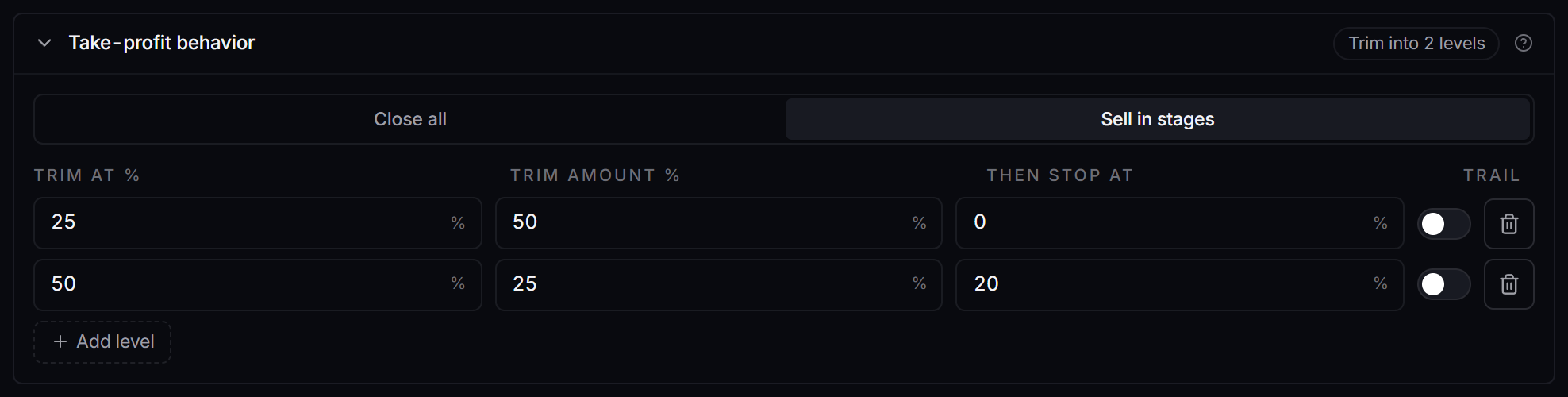
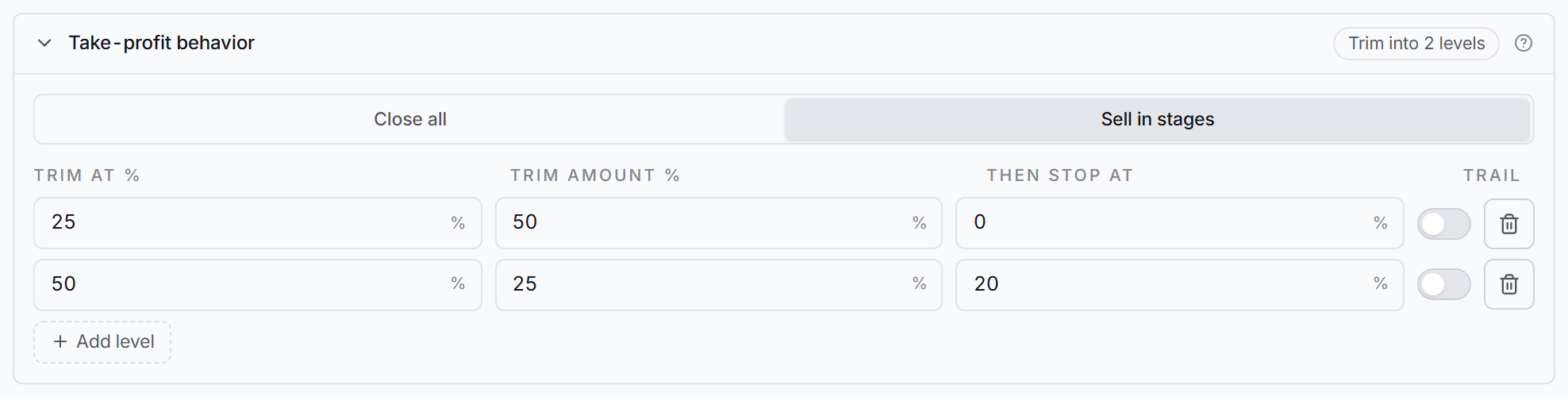 Risk & exits, Take-profit behavior, Sell in stages on an Interactive Brokers strategy. Then stop at and Trail only show on Interactive Brokers.
Why didn’t it trigger?
- Not Interactive Brokers, or a spread. The columns do not show elsewhere.
- Then stop at was empty (“keep”). That level leaves the stop where it is.
- No stop loss. There is no stop to move.
- Trail was on but the strategy has no trailing stop. Set a Trailing stop on the Risk & exits tab.
- The level did not fill. The follow-up runs on the level’s fill, not when the price touches it.
- The stop was already tighter, or the price was already below the new stop (the move waits and tries again every 5 seconds).
Works with
- Move stop after a trim: a level with a Then stop at value wins for that level, and uses up the one move that Move stop after a trim makes. A level with no value lets Move stop after a trim run as usual.
- A waiting move with a higher percent is not replaced by a lower one from a later level.
- Trailing stop: Trail starts the trail at that level, with the current stop as its floor.
Wait for the price to come back
What it does
When an alert arrives and the price has already moved past your Slippage cap, the buy is normally refused. With Wait for the price to come back on, nothing is placed yet: the app watches the price and places the normal order once it is back within your cap, up to your Cancellation timer.
What triggers it
- The broker is Interactive Brokers, and the strategy trades stocks, options or futures. Not spreads.
- Slippage cap is on with a number. The Wait for the price to come back row only shows under it when it is on.
- Cancellation timer is on with a number of minutes. The timer is how long the app waits, counted from the alert. Without it, the row says “Turn on the Cancellation timer too” and nothing waits.
- Wait for the price to come back is on, in Protections, Order safety.
- The alert is a buy that opens a trade, and the live price is already past your cap in the bad direction (above the alert price for a buy).
What happens, step by step
Example: the alert is a buy at $10.00, the Slippage cap is 2.5% and the Cancellation timer is 5 minutes. The most the buy may pay is about $10.25.
- The alert arrives, and the live price is $10.50. It is past the cap, so nothing is placed.
- The app checks the price every 3 seconds. On the Activity page the broker shows Queued, with Waiting for the price to come back within your slippage cap and the minutes left.
- Two minutes later the price is back at $10.25. The app places the order exactly as it would have at the alert, with your usual pricing, stop loss and take profit.
- That order’s Cancellation timer still ends 5 minutes after the alert, not 5 minutes after it was placed.
- If the price is still past the cap when the 5 minutes end, nothing is bought, and Activity says the price never came back within your slippage cap.
Other ways the wait ends:
- A better price than the alert (below $10.00 on a buy) never waits. It buys at once.
- An exit alert for the same ticker on the same strategy (and the same contract, when it names one) cancels the wait.
- A newer entry alert for the same ticker on the same strategy replaces the wait.
- An app restart ends every wait. Nothing is bought.
The setting is the Wait for the price to come back row in the Order safety screenshot above, directly under Slippage cap.
Why didn’t it trigger?
- Not Interactive Brokers, or a spread strategy.
- Slippage cap is off, or has no number. The row is hidden.
- Cancellation timer is off, or set to 0. Nothing waits, and the buy is refused as before. Use whole minutes (1 or more): a timer under 1 minute starts the wait, but the order it places then gets no cancellation timer.
- The alert was a Wait for the break alert. A break order handles its own entry price.
- It was a sell, a trim or a short. Only buys that open a trade wait.
- The price was inside the cap, or better than the alert. Nothing needed to wait, so it bought at once.
- The app restarted, a newer entry alert came in, or an exit alert came in. Each one ends the wait.
Works with
- Slippage cap: sets how far is too far. The wait only decides what happens when the price is past it.
- Cancellation timer: sets how long the app waits, and the order placed after the wait keeps the same end time.
- Wait for the break: never combined. A break alert is not held by this wait.
- Entry delay and Duplicate protection are not run a second time when the waiting order is finally placed.
Which broker supports what
| Feature | Interactive Brokers | Robinhood | Tradier | Schwab | STG / Cobra | Other brokers |
|---|---|---|---|---|---|---|
| Wait for the break | Stocks, options, futures. Options can also wait for the stock price | Stocks, options. Regular session only, whole shares. Options can also wait for the stock price (not index options) | Stocks, options. Not stocks in pre-market or after-hours. Options can also wait for the stock price | Stocks, options. Not in extended hours. Options can also wait for the stock price | Stocks | No |
| Keep chasing until filled | Stocks, options. Moves the same order | Stocks, options. Cancels and places the rest again, whole shares | Stocks, options. Moves the same order | No | No | No |
| Move stop after a trim | Stocks, options, futures | Stocks, options. Trim alerts only | Stocks, options | No | No | No |
| Per take-profit level follow-ups (Then stop at, Trail) | Stocks, options, futures | No | No | No | No | No |
| Wait for the price to come back | Stocks, options, futures | No | No | No | No | No |
None of the five run on spreads, RSA, crypto, memecoins or prediction markets. On a strategy with more than one broker, the first broker in the list decides, as described at the top of this page.